01
Choose a song or soundtrack
Select a completed song from your Music Library or upload the audio that needs another section.
AI Music Editing
Continue a song or soundtrack from the point you choose, then create the next vocal or instrumental section.
Extend Track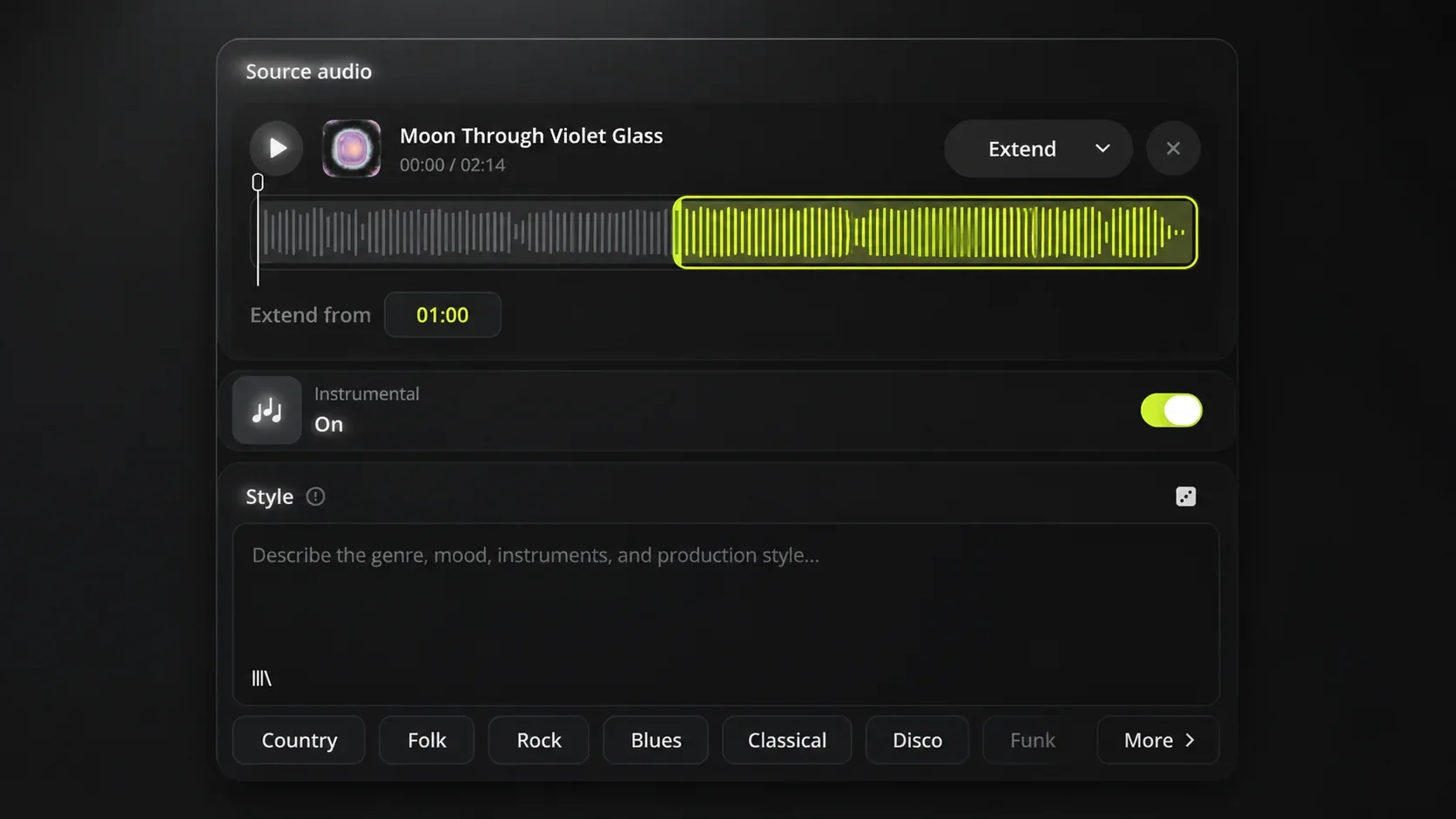
How to extend music
Audio Extend creates more music after a point in a song or soundtrack. It helps when the existing audio ends before the piece you are making is complete.
01
Select a completed song from your Music Library or upload the audio that needs another section.
02
Pick the moment after the chorus, melody, or music cue where the new section should begin.
03
Add lyrics for a vocal section, or describe the style for an instrumental passage or ending.
04
Generate the next part and use the longer song or soundtrack where the original music stopped too soon.
Music extension
A chorus, opening, or music cue can be right for the project but too short on its own. Audio Extend continues from that point, so the music can cover more of the song or video without replacing the part you want to keep.
Continue after a verse or chorus when a demo needs more music to become a fuller song.
Create more music after a cue when the video or presentation lasts longer than the track you chose.
Music extension ideas
Audio Extend solves timing and song-length problems by creating a new section from a specific point in the audio you chose.
Use case 1
Choose the soundtrack cue that fits the video, set the point where it should continue, and create more music for the closing scenes.
Use case 2
Select the verse or chorus that already works, then use Audio Extend to create the next section and make the song feel more complete.
Use case 3
Continue from a selected point with lyrics for the next vocal section, or create an instrumental passage when the song needs space without more vocals.
Who can use Audio Extend
Audio Extend is for people with audio that already fits the task but does not last long enough for the finished piece.
01
Extend a soundtrack cue from the chosen point so the video has music through its ending instead of fading out early.
02
Continue a demo after a verse or chorus to hear another vocal or instrumental section before writing the next part from scratch.
03
Use a section that already has the right feel as the starting point for a longer arrangement or another song section.
Audio Extend FAQ
Answers about continuing a song or soundtrack with Audio Extend.
Choose a point in your song or soundtrack and create the next section with Audio Extend.