Pop Remix
0:00 / 0:00
AI Music Editing
Use one song to create a new version with different lyrics, a different style, or an instrumental arrangement.
Create Remix
Music Remix Examples
Switch between both versions and hear how the song changes.
0:00 / 0:00
0:00 / 0:00
How to remix music
Music Remix gives an existing song a new treatment. Pick the song, describe the version you want, and create a fresh track from it.
01
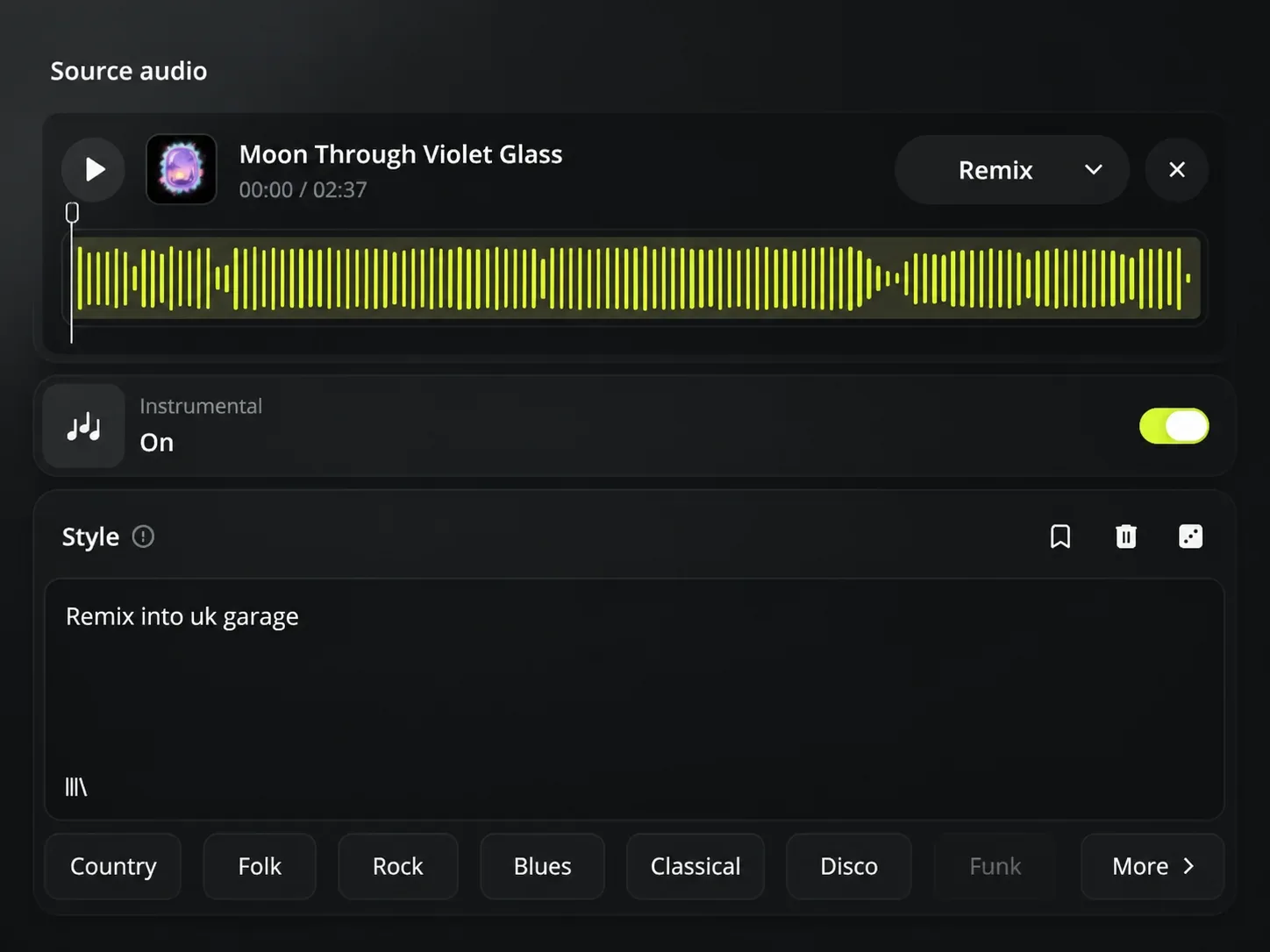
Select a completed song from your Music Library or upload the song you want to remake.
02
Name the genre, mood, instruments, or vocal feel that suits the version you want to hear.
03
Write lyrics for a vocal remix, or choose Instrumental when the new version should not include vocals.
04
Generate a new song version based on the track and musical choices you selected.
Remix music
A song can have a melody or feeling worth keeping even when the genre, lyrics, or arrangement no longer fit. Music Remix creates another version from that song instead of asking you to begin again.
Turn the same song idea toward a new genre, mood, or arrangement and hear it as a separate version.
Use new lyrics when the song needs a voice, or choose Instrumental for a version built without vocals.
Music remix ideas
Music Remix is useful when the song is already there, but the version in front of you is not the one you need for the project.
Use case 1
Choose the song and describe the genre you want to explore. Music Remix creates a new version, so you can compare another take on the same idea.
Use case 2
Add lyrics that match a new story or message. Music Remix uses them to create a vocal version from the song you chose.
Use case 3
Choose Instrumental for a version with no vocals, giving you music that can sit under video, spoken audio, or another vocal.
Who can use Music Remix
Music Remix helps creators who want to keep a song idea while changing the version that will be heard.
01
Test a lyric rewrite or a different genre without abandoning the melody and feel that made the first version worth keeping.
02
Create an instrumental version of a chosen song when a video needs music that leaves room for dialogue or narration.
03
Use one track as the starting point for another arrangement, then keep the version that better suits the artist or project.
Music Remix FAQ
Answers about creating a new version from one song.
Choose one song, add the style or lyrics you want, and make a Music Remix.