01
Songwriters
Rewrite a verse or chorus when the lyrics need a clearer idea, while keeping the rest of the generated song.
AI Music Editing
Edit one section of an eligible generated song. Choose the part you want to change, add new lyrics and musical style, then create a revised version of that section.
Edit a Song Section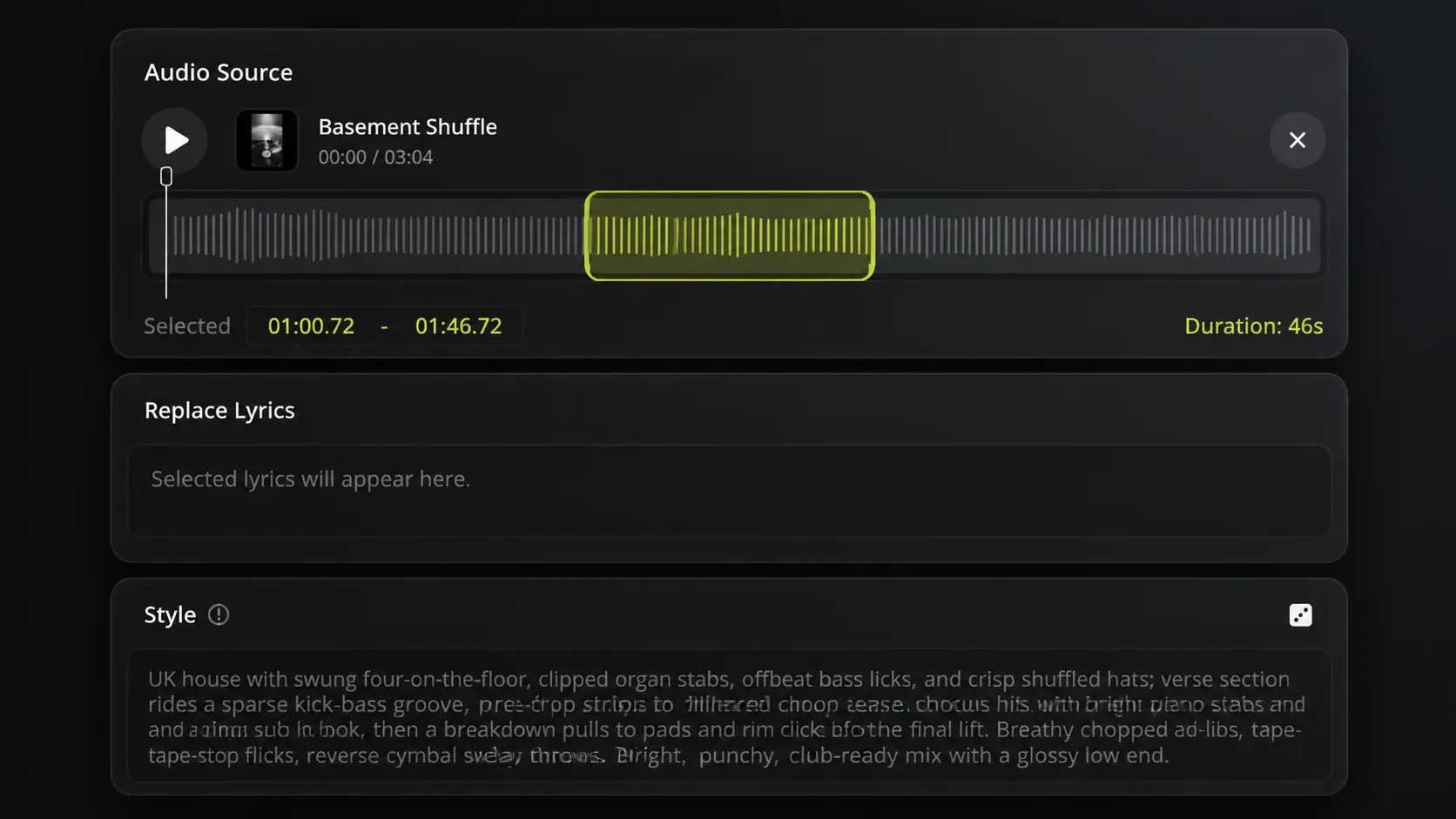
How to edit a song section
Audio Replace is for an eligible generated song with one part you want to rewrite. Select the song and section, then describe the new lyrics and music for that part.
Open an eligible song from your Music Library and find the verse, chorus, or passage you want to change.
Mark the part of the song that needs different words, music, or arrangement.
Describe what you want in that section, then create a revised version of the selected part.
Edit one song section
Keep the song you like and work on the section that needs a new idea. Audio Replace lets you select that section and create a revised version with new lyrics and musical style.
Choose a verse or chorus when the current words no longer say what the song needs, then write lyrics for the revised section.
Describe the music you want for the selected part when its melody, instruments, or arrangement need to change.
Who can benefit
Audio Replace is for people with an eligible generated song in their Music Library who want to improve one specific section before sharing or using it.
01
Rewrite a verse or chorus when the lyrics need a clearer idea, while keeping the rest of the generated song.
02
Change one section when its melody, instruments, or arrangement does not suit the rest of the song.
03
Create a revised song section when the existing part does not suit the feeling or pace of the video you are editing.
Audio Replace FAQ
Learn which songs work with Audio Replace and what you can change in a selected section.
Choose an eligible generated song from your Music Library and write the new lyrics and style for the section you want to change.